📣 Our MCP server is now available to ALL paying customers, enabling you to connect PlantPredict to your favorite AI tools like Claude. Learn more →
✕

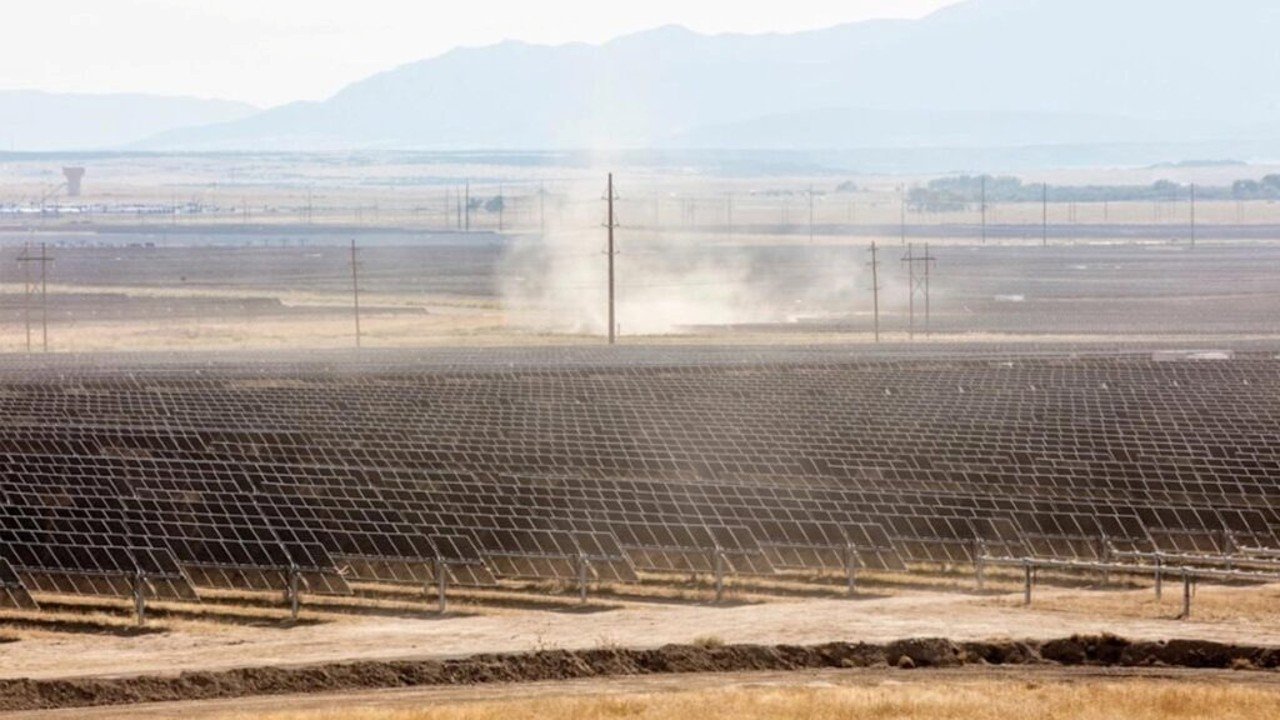
When modeling a new solar project, many developers typically assume a 2% annual soiling loss. This has become a convenient industry standard. However, what if your site experiences 7% losses during peak production months or less than 1% loss year-round?
Misestimating soiling losses can significantly impact your energy predictions. It may be the difference between a profitable project and one that falls short, potentially resulting in hundreds of thousands of dollars in annual losses.
This blog will delve into the fundamentals of soiling losses for utility-scale solar plants, why the 2% default is outdated, and how PlantPredict's integrations with PV Radar and Fracsun CLEO AI give you accurate, location-specific estimates in seconds.
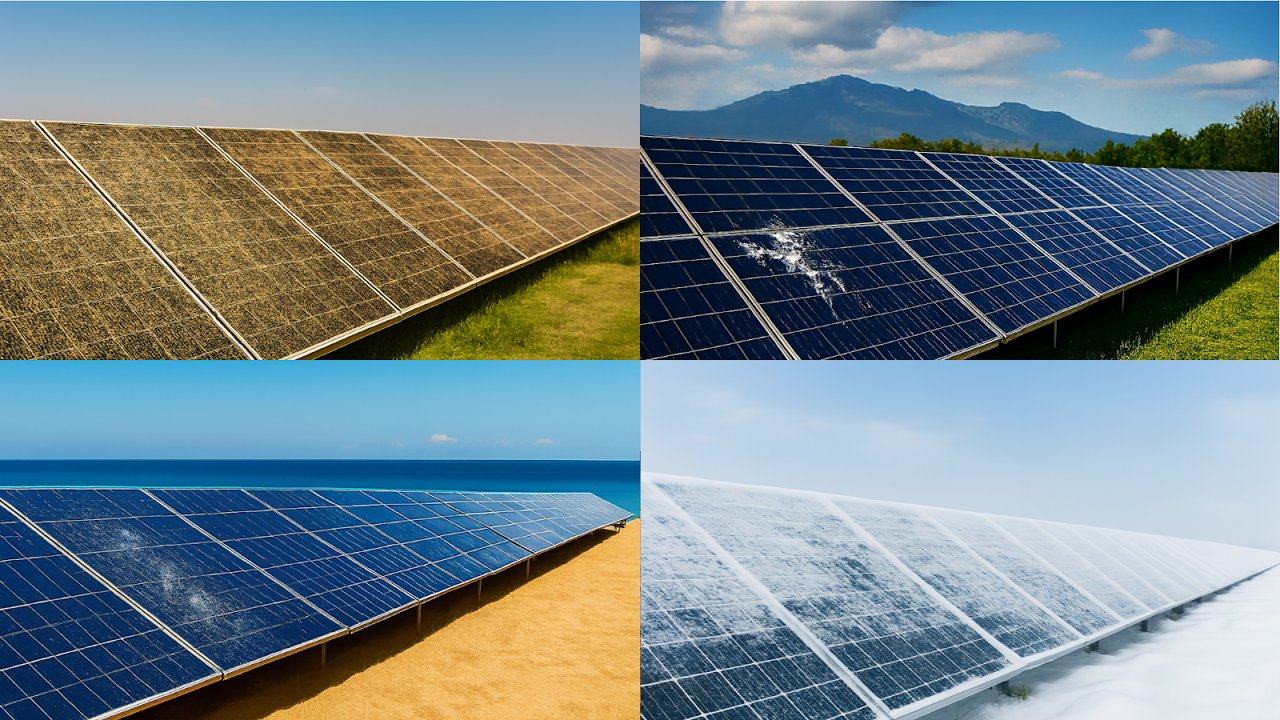
Soiling is the buildup of dust, pollen, sea salts, organic matter, and snow on the surfaces of photovoltaic (PV) modules. This accumulation blocks incoming sunlight, which reduces the effective irradiance reaching the solar cells. As a result, energy output and system efficiency decline.
Soiling can happen in two primary ways:
Both types of soiling reduce the number of photons reaching the PV cells, which directly impacts current generation and overall yield.
Soiling losses result in reduced energy production due to the buildup of dust, dirt, or other contaminants on the surface of photovoltaic (PV) modules. Even minor soiling can cause noticeable yield degradation over time.
Soiling remains one of the most underestimated causes of PV system underperformance. Its impacts include:

Most solar developers today model soiling losses using a fixed 2% annual default, applied uniformly across all months regardless of location or climate. This oversimplified approach ignores the reality that soiling varies dramatically by region — a site in rainy Florida might see less than 1% loss. At the same time, a desert project in Arizona could experience 20%+ during dry months.
On-site measurement campaigns can provide accurate data, but they're expensive (tens of thousands of dollars), time-consuming (requiring 6-12 months of data collection), and risk capturing an atypical wet or dry year that doesn't represent long-term conditions. The result is that even well-intentioned modeling efforts often amount to educated guesses that can lead to errors — a costly mistake when financing multi-million-dollar projects.
To help you model soiling losses more accurately, PlantPredict is integrated with Fracsun CLEO and PV Radar.
Fracsun CLEO employs a machine learning model trained on actual soiling measurements collected from thousands of sensors deployed across more than 15 gigawatts of operational solar plants.
On the other hand, PV Radar takes a different approach, using NASA satellite data and over 20 years of historical weather data to simulate particle deposition, accumulation, and natural cleaning at any location around the globe.

Fracsun CLEO AI is an innovative tool that predicts how much energy solar panels might lose each year because of soiling. It uses local data, weather info, and machine learning to determine location-specific soiling losses.
Currently, Fracsun CLEO is integrated with PlantPredict at no cost. To obtain the Soiling Loss from Fracsun CLEO, follow these steps:
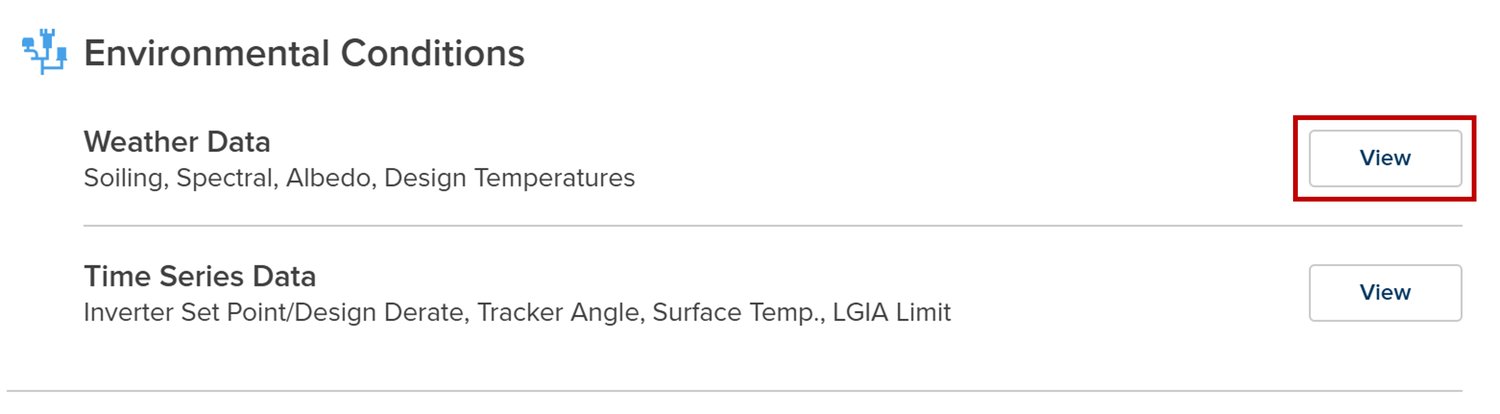
Access your PlantPredict project and click on Weather Data under the Environmental Conditions section.
In the monthly parameter section, you will see that the soiling loss is set to 2% by default. Click on the Show Soiling Import button.
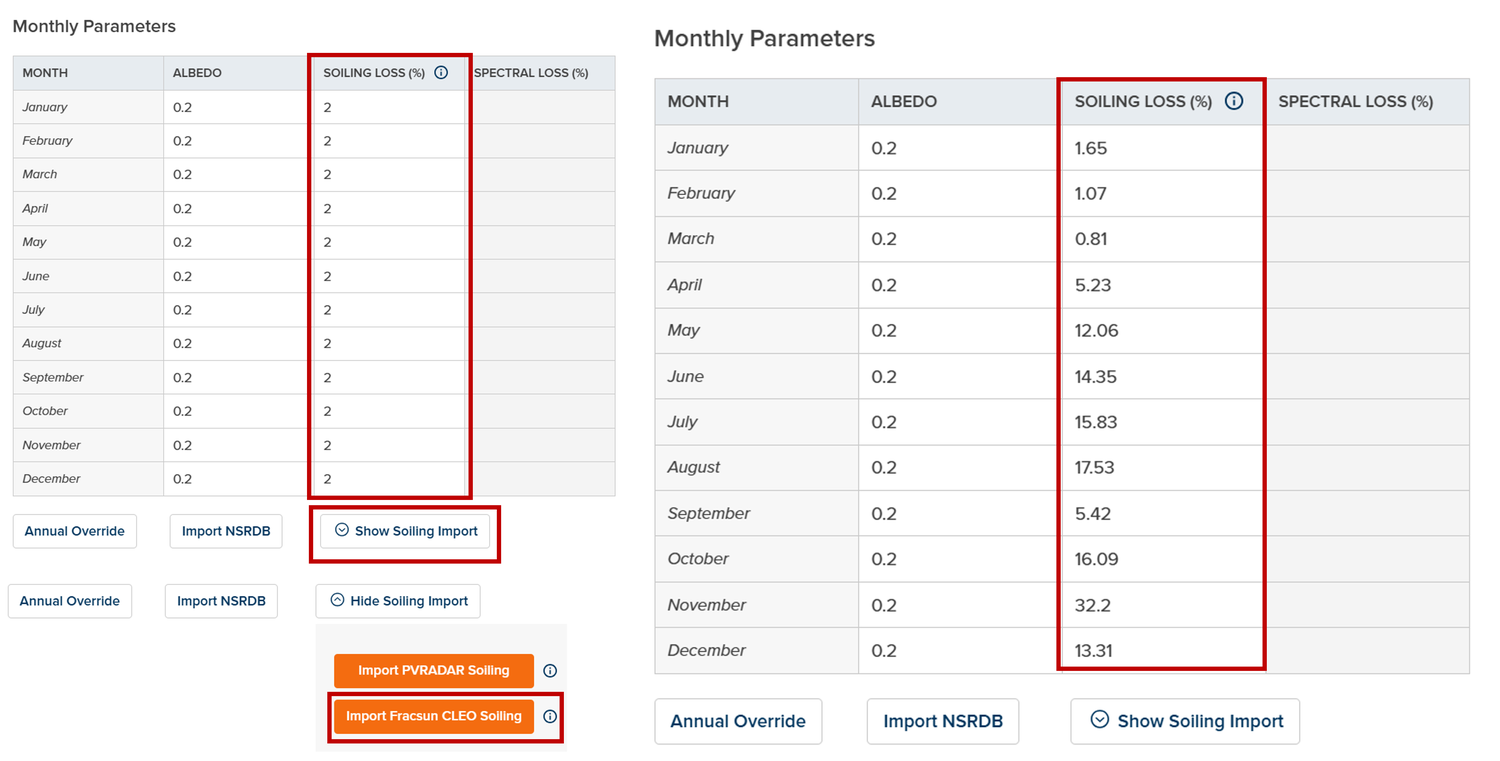
You will then have the option to import either PVRadar soiling data or Fracsun CLEO soiling data. Select the Import Fracsun CLEO Soiling button to use those results for your predictions.
To learn more about Fracsun CLEO AI and try your own simulation, please visit https://www.fracsun.com/cleo.
In a nutshell, PVRadar uses historical atmospheric dust concentrations and weather data to simulate daily soiling accumulation and rain-based cleaning events over a 20-year period. This process generates site-specific monthly soiling loss factors, offering location-specific accuracy that replaces generic industry assumptions.
Users of PlantPredict can access soiling data from PVRadar for free. To do this, simply follow the same steps as you would to get soiling data from Fracsun CLEO AI, but select the PVRadar option instead. The soiling data provided by PVRadar reflects the average from the last five years.
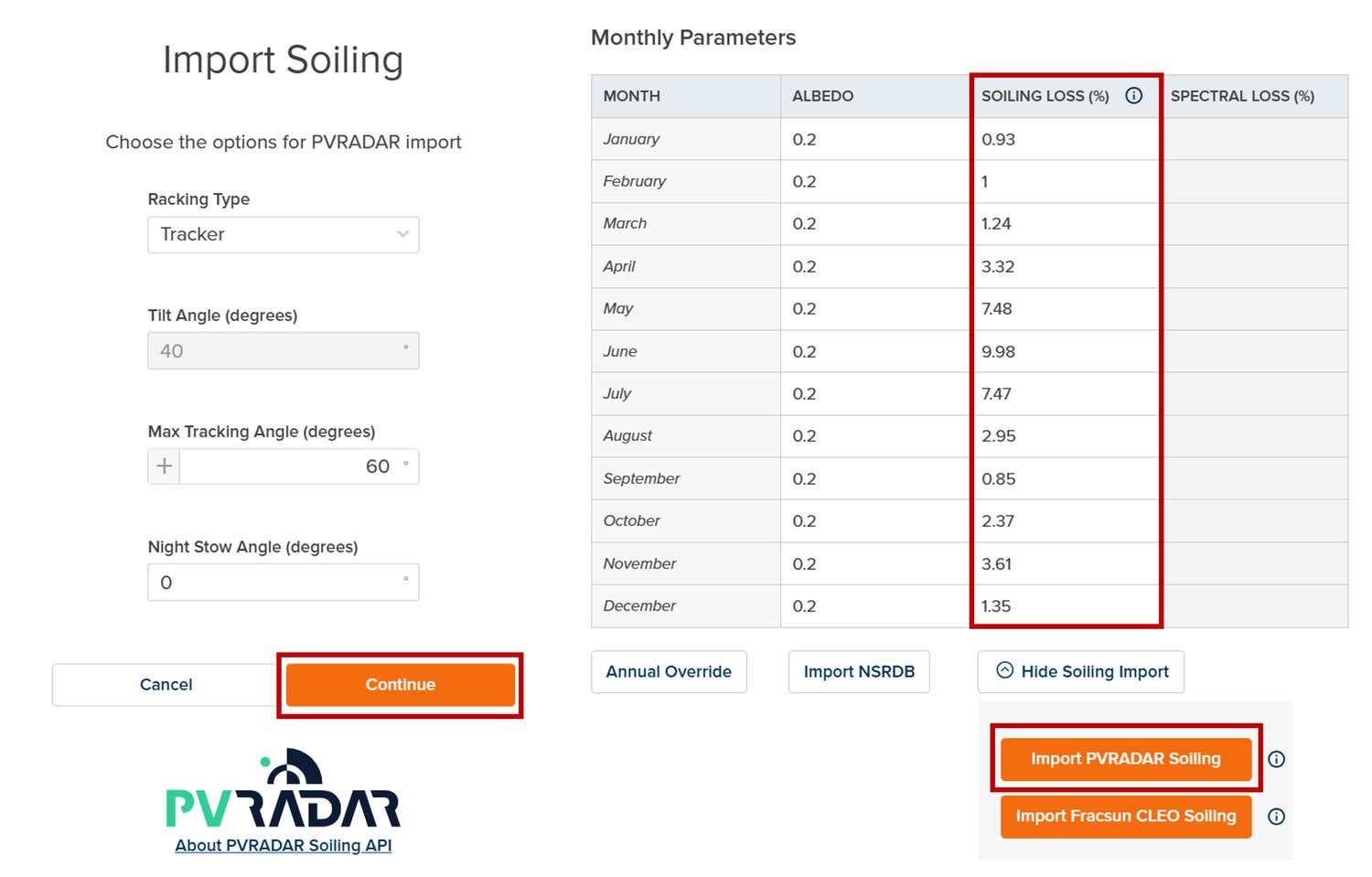
Users of PlantPredict who have subscribed to the PVRadar extension can access data from the past 20 years, which allows for better fine-tuning of results. Additionally, you can incorporate soiling loss data after implementing a cleaning schedule to create a more accurate overview. Let's take a look at how to import soiling values after establishing the soiling schedule in PVRadar.
To get started, log onto the PVRadar Platform and click on Create Project.
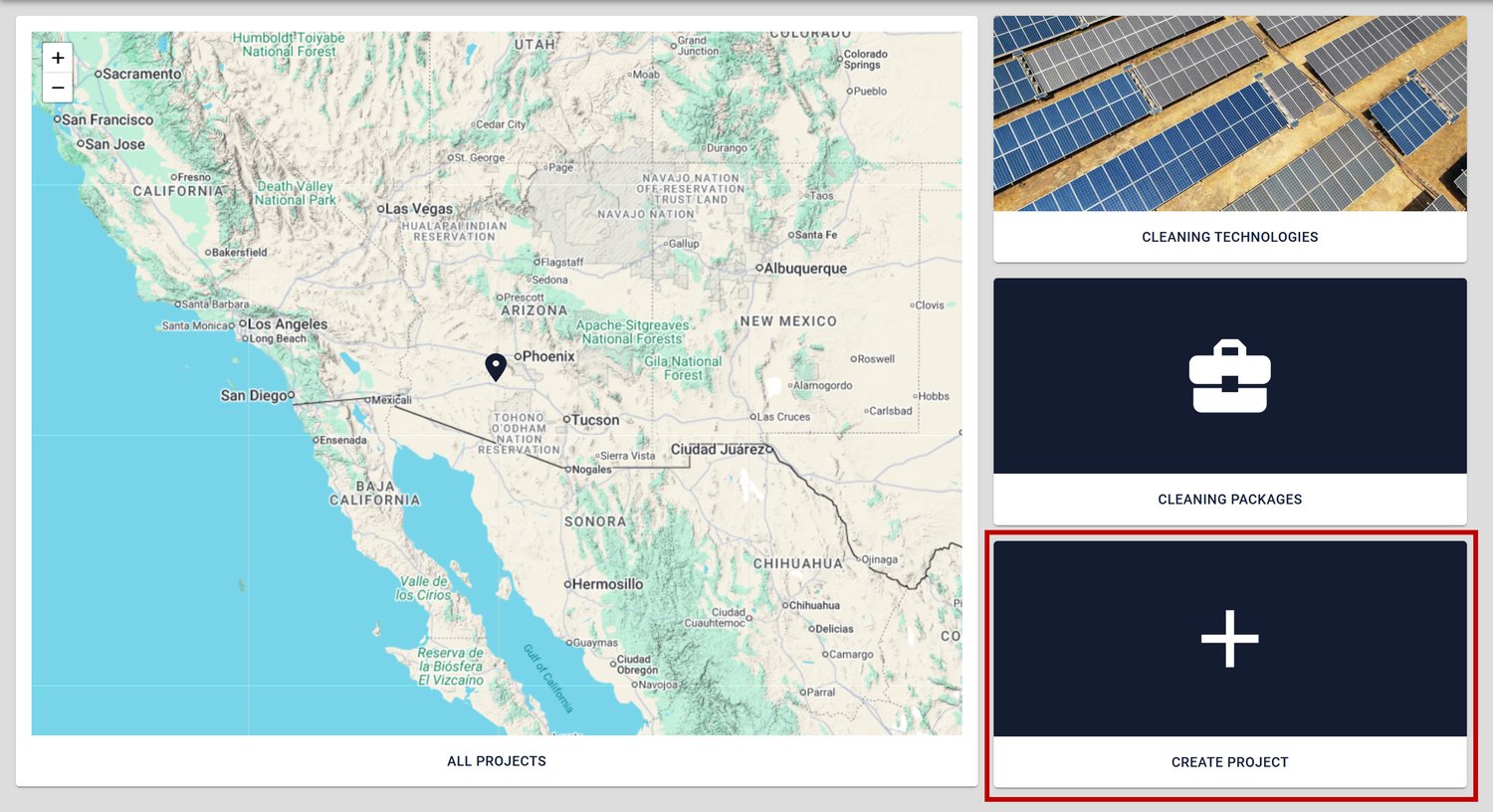
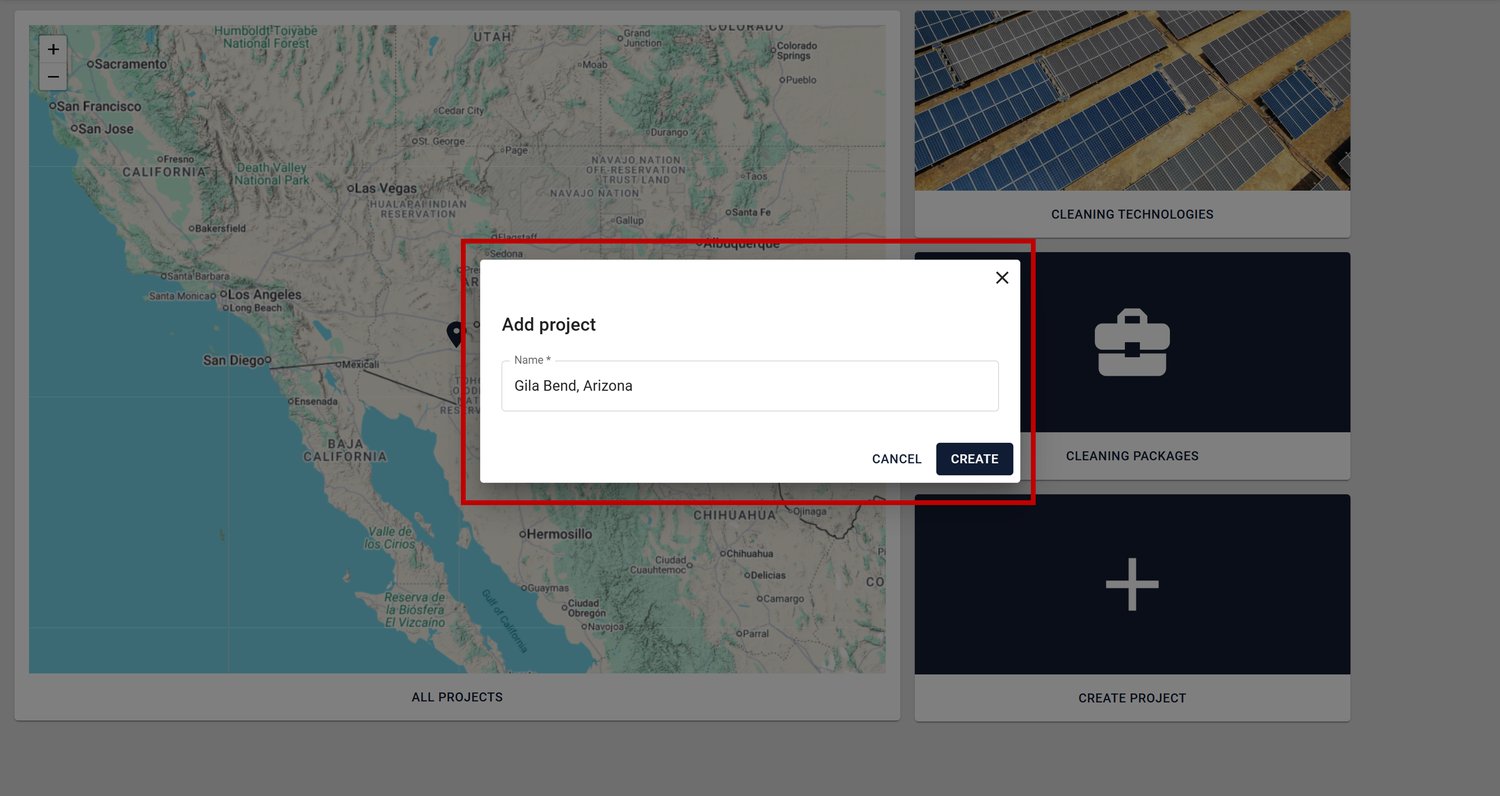
Provide a Name for your project and then click Create.
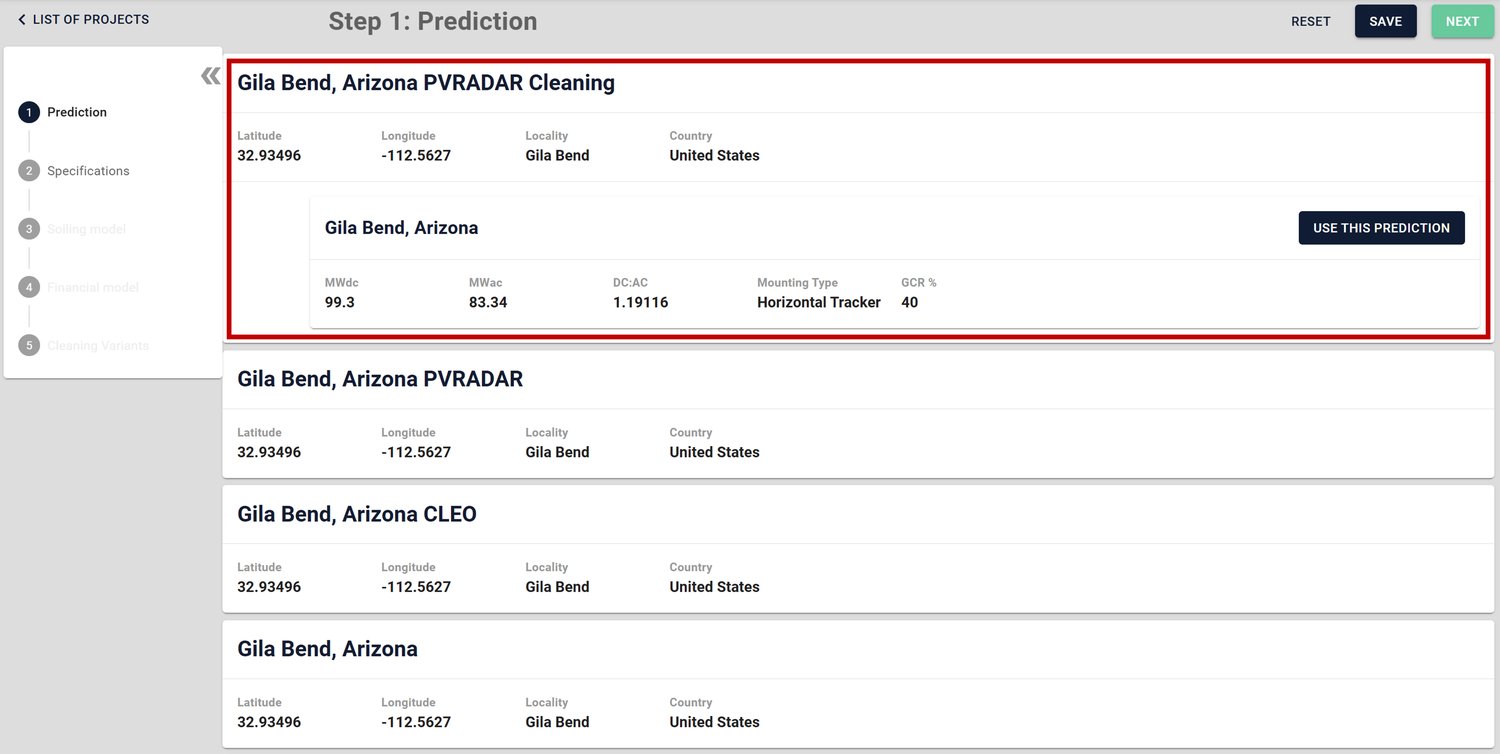
All your PlantPredict Predictions will be available for selection. Select the prediction where you want to use PVRadar Soiling Loss data after implementing a cleaning schedule. Then click on Use This Prediction and click Next.
As you may have noticed, I have cloned predictions to incorporate different soiling values, which we will compare later in the blog.
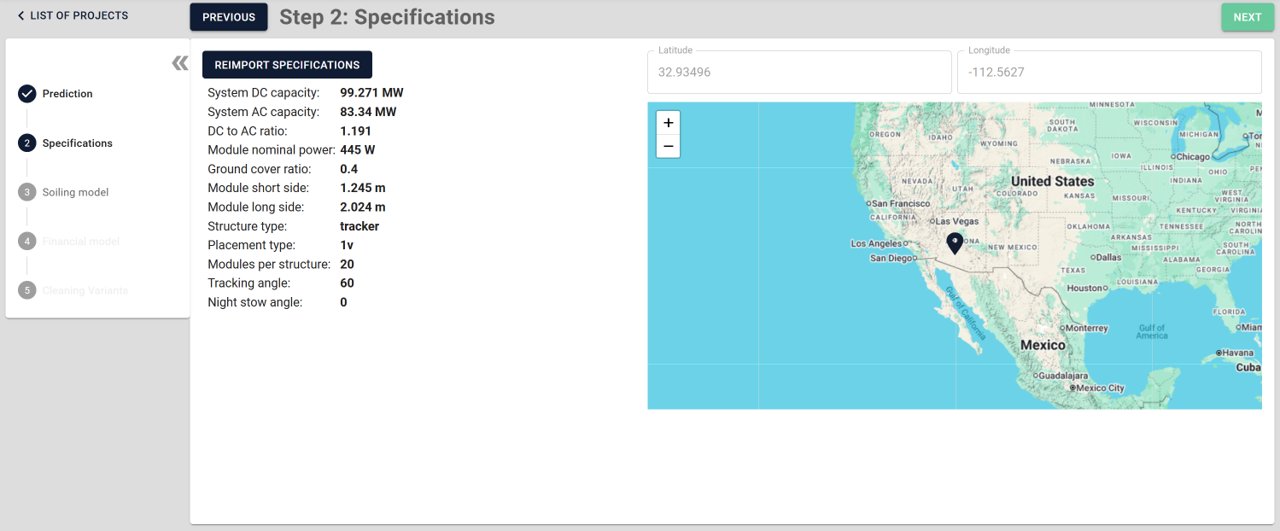
Review the specifications that were imported from PlantPredict. If you had made any changes in your prediction and the specifications do not reflect that, click on Reimport Specifications. Once you confirm that the specifications are correct, click on Next.
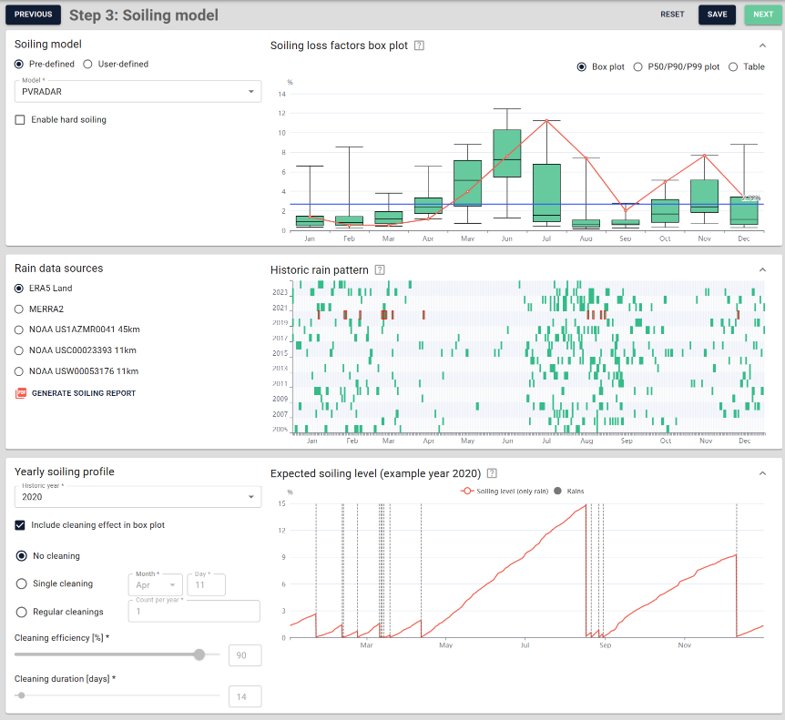
In this section, you can choose the Soiling Model, the Rain Data Source, and optionally incorporate a cleaning schedule.
For the soiling model, you can select from PVRadar, pvlib HSU, or a user-defined model. For this demonstration, we will choose PVRadar, which uses over 20 years of data, compared to just 5 years of data in the free PVRadar integration.
When it comes to rain data sources, there are five different options available. The goal is to ensure that these data sources yield similar estimates, provided they have 20 years of data. For this demonstration, we will select the ERA5 Land option, which estimates a soiling loss of 2.72%.
Additionally, if you have an idea of your cleaning schedule, you can define it here. In Step 5, there will also be an option to optimize your cleaning schedule based on cost.
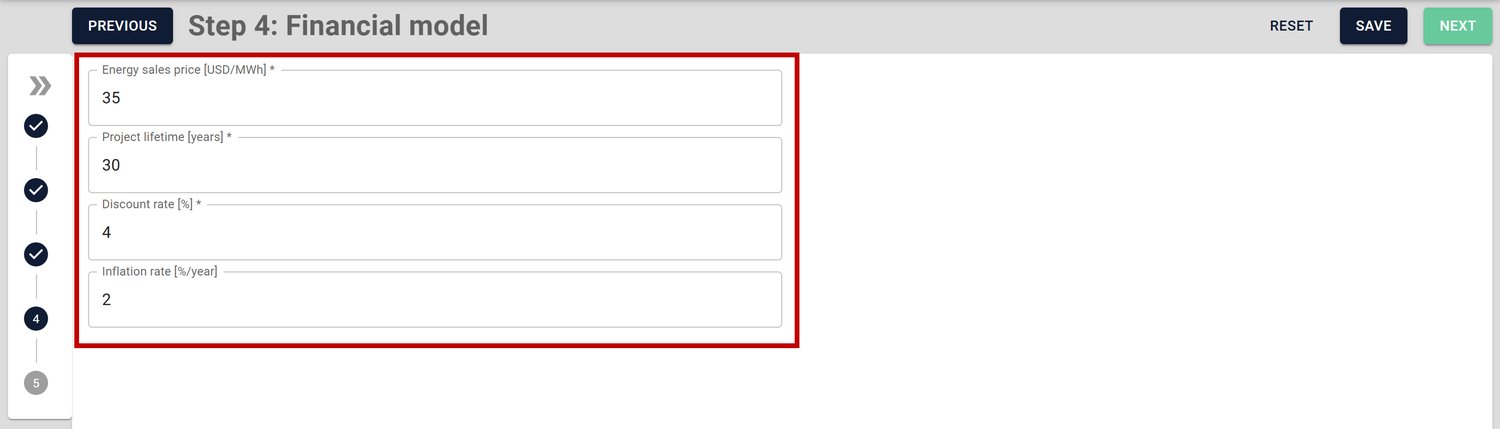
In this step, you will need to provide the energy sales price (USD/MWh), project lifetime (years), discount rate (%), and inflation rate (%).
PV Radar will take these financial parameters and combine them with site-specific soiling data to calculate the Net Present Value (NPV) of different cleaning strategies over your project's lifetime. Once done, hit Next.
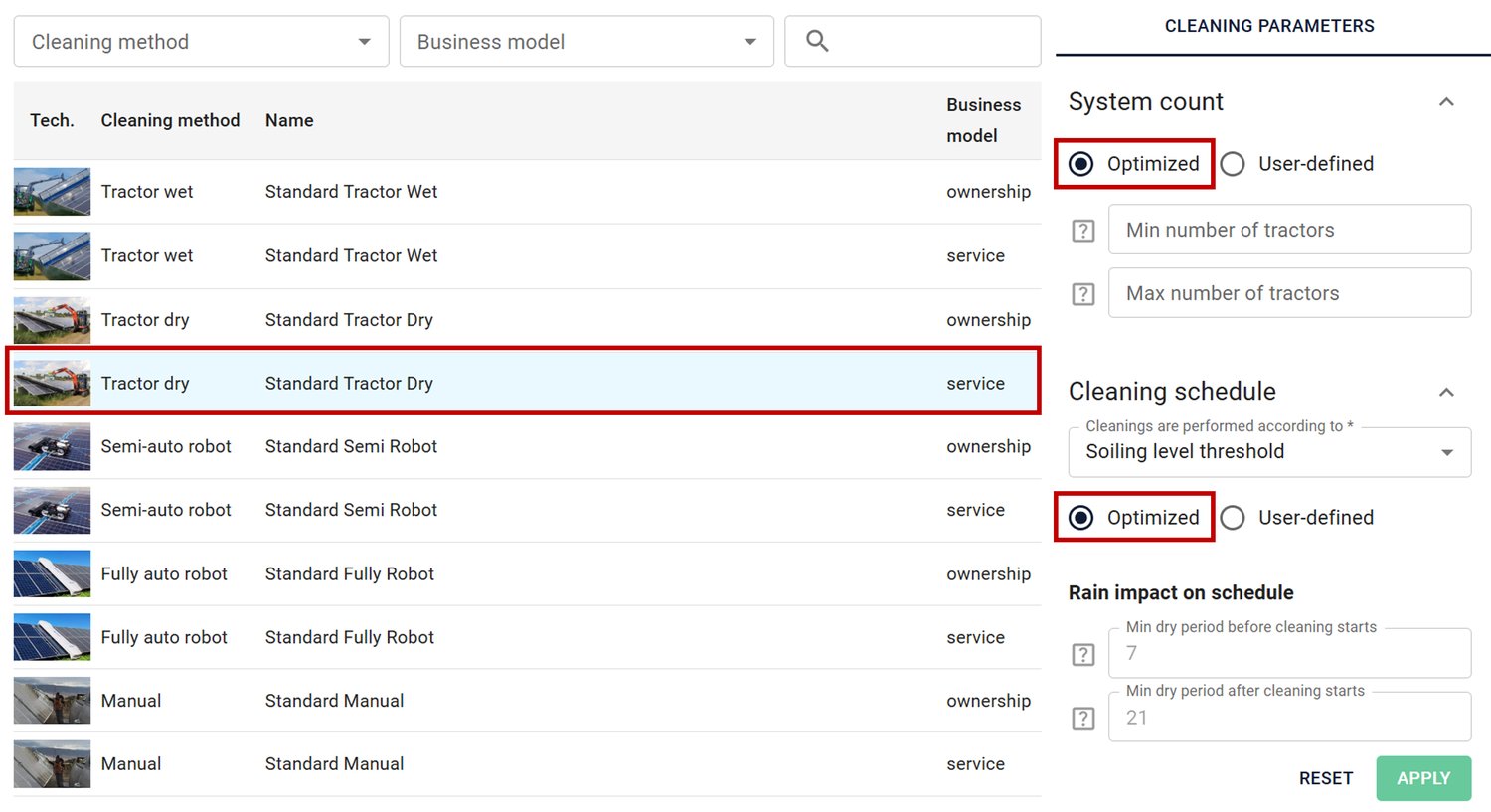
In this step, you can add a cleaning variant, and for this demonstration, we will choose the following parameters:
Once the simulation is complete, you will get an overview of the Cleaning Strategy, Economic Impact, Energy Production Impact, and Average Loss Factors. You also have the option to review Soiling Levels, Financials, Yearly Production, Cleaning Package, and provide the data to the PlantPredict model.
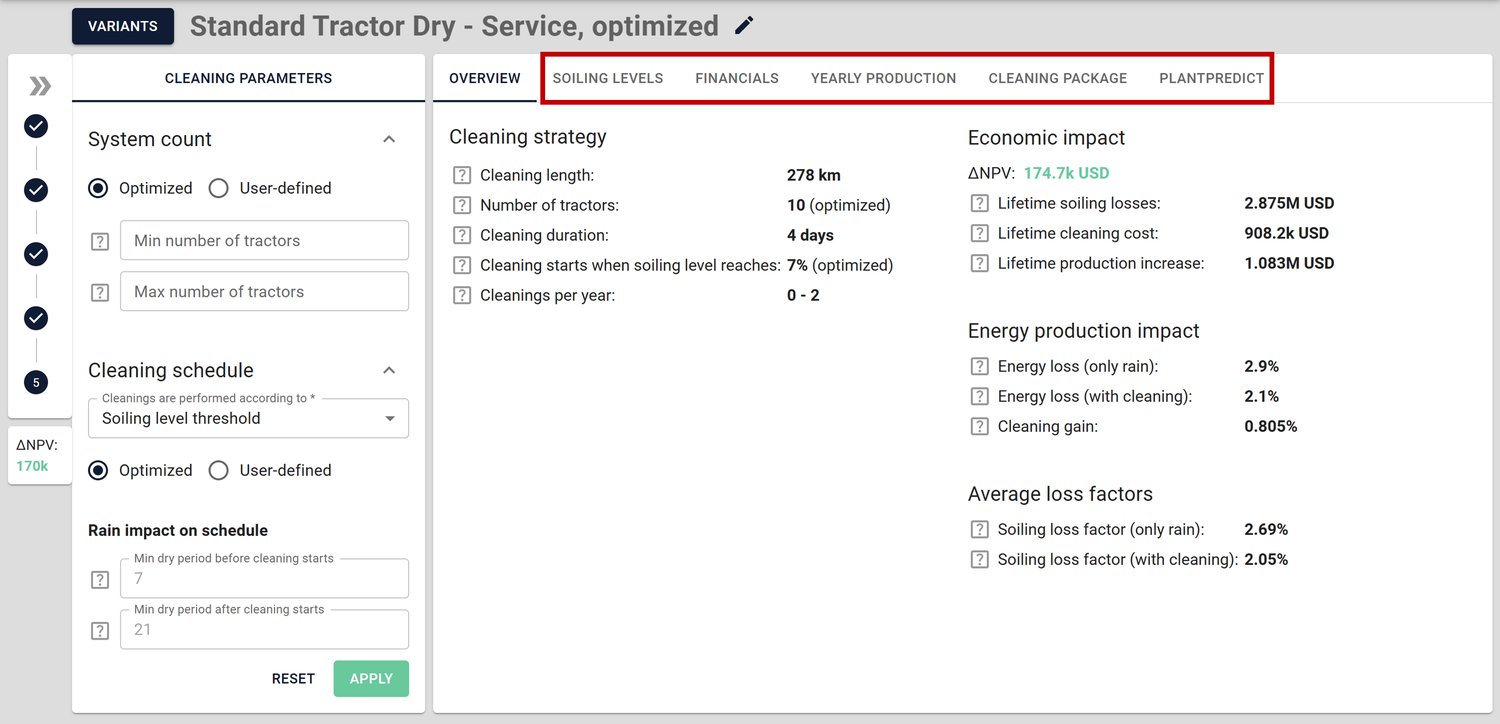
To direct the new soiling loss numbers to PlantPredict, click on the PlantPredict tab. Then, select either Median, Min, Max, or P90, and click Apply in PlantPredict.
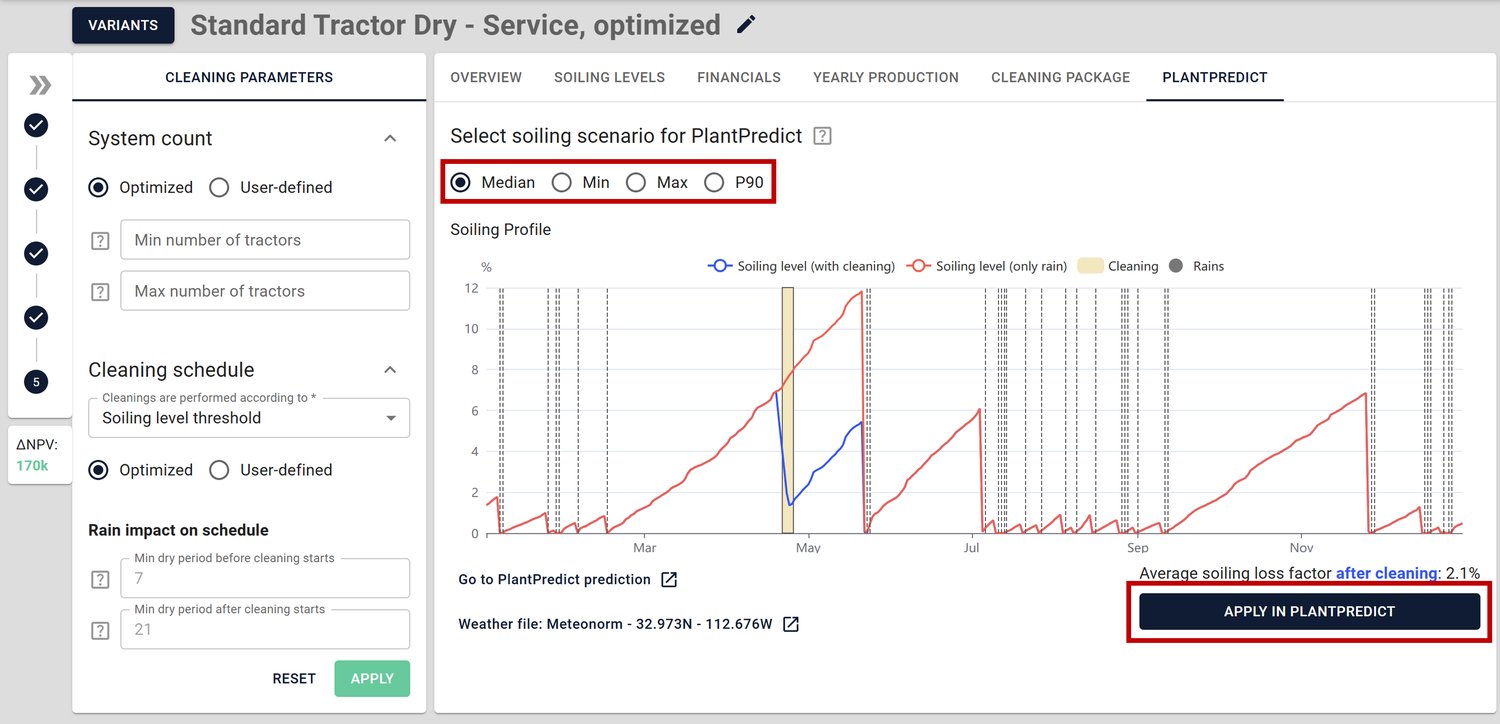
If you have a better idea of the cleaning options available for your site and the level of soiling at which you would like to initiate cleaning, you can update the parameters to obtain more accurate results.
PlantPredict offers integrations with both PV Radar and Fracsun CLEO AI, as each provides unique strengths in modeling soiling loss. PV Radar excels at satellite-based physical modeling and provides global coverage, while Fracsun CLEO AI leverages real data from thousands of operating plants.
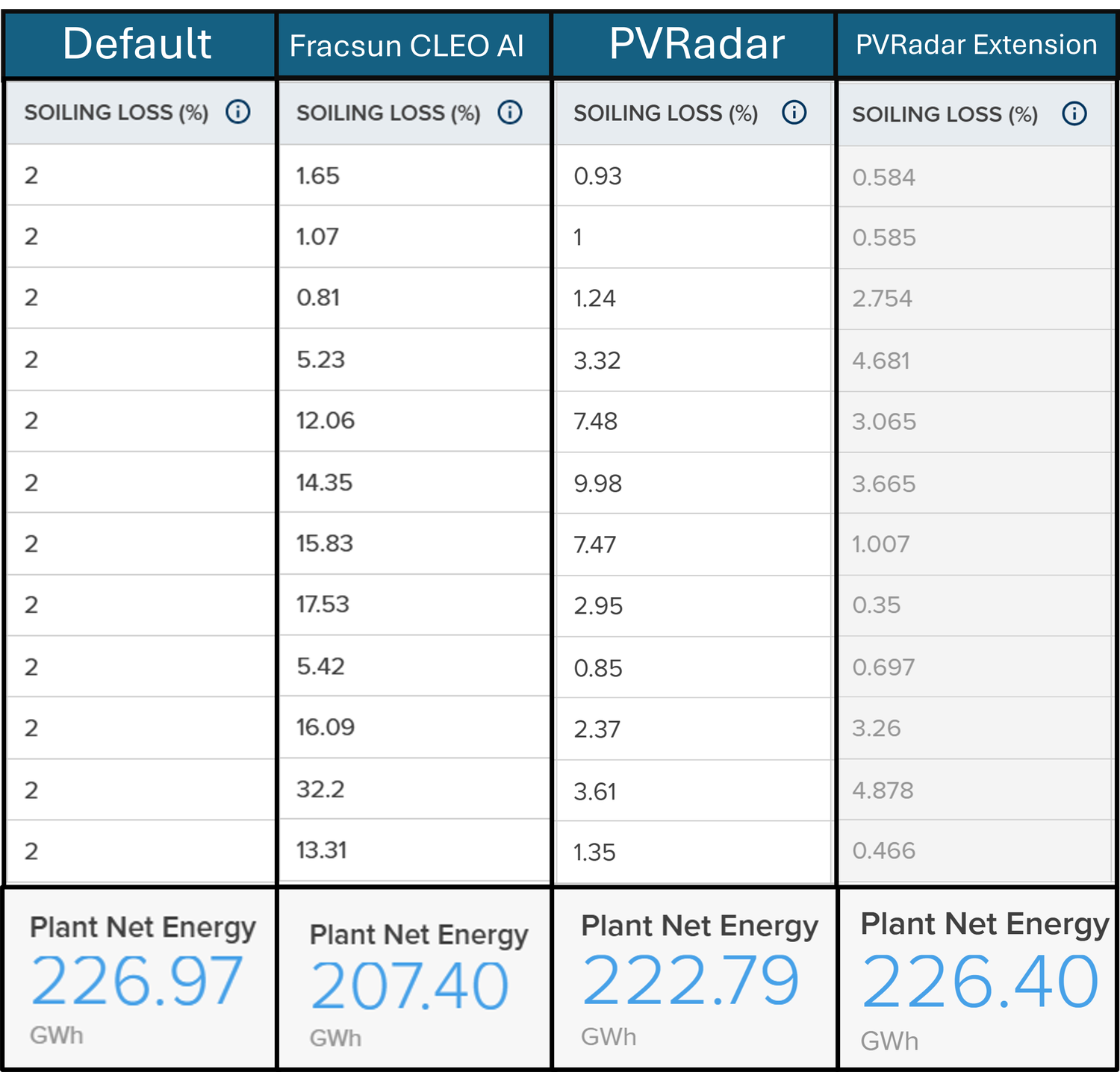
Depending on your project's location, data requirements, and development stage, one model may be more suitable than the other. Below is a side-by-side comparison of soiling data and energy yield from four different scenarios:
If we rely solely on the default 2% soiling loss, we risk overestimating energy yield over the project's lifecycle. Both the Fracsun CLEO model and PV Radar models indicate average soiling losses exceeding the default 2%.
By incorporating an optimized cleaning schedule with PV Radar, we can provide a more realistic soiling loss scenario for your PlantPredict simulation.
The days of simply accepting a 2% loss from soiling are over. Thanks to the integration of PV Radar and Fracsun CLEO AI right into PlantPredict, you can now create precise, reliable soiling estimates with just a click. Whether you're in the early stages of development or deep into engineering, these tools provide the accuracy you need to model performance effectively, plan your cleaning strategies in advance, and avoid unexpected costs during operations.
Join hundreds of organizations that trust PlantPredict for bankable energy predictions. Start with a free account, get a free trial of Pro features, or book a demo with our team.